GenAI and UI/UX Design: A New Era of Intelligent Experiences
Category:: Artificial Intelligence (AI) UI / UX

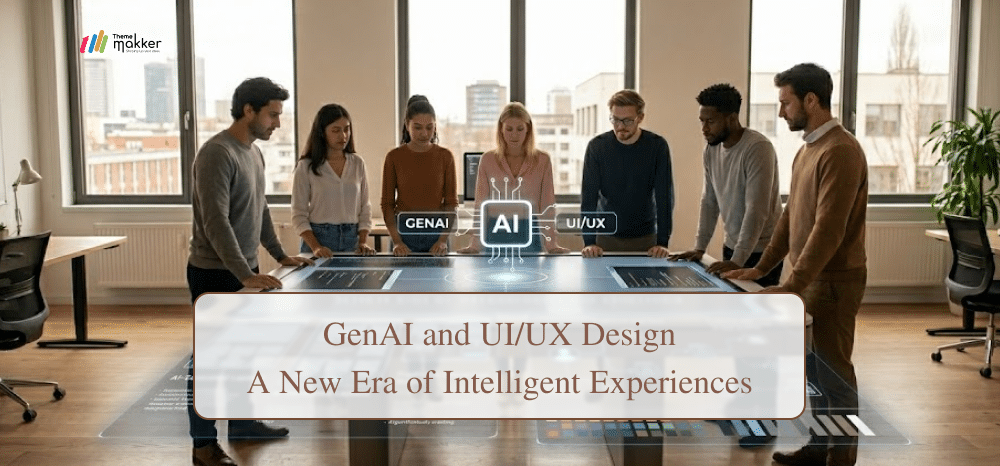
The integration of artificial intelligence into the creative industry has shifted from a novel experiment to a fundamental structural pivot. In the realm of UI/UX design, professionals are no longer just creators but curators of machine-assisted output.
Recent data highlights this rapid transition; according to a 2026 UXTigers report, 43% of US workers now utilize generative tools in their daily workflows.
Furthermore, research from Salesforce indicates that 62% of marketers already use AI to generate image assets, while 71% rely on it for creative inspiration. This surge suggests that ui ux design AI is far more than a passing trend; it is becoming the standard for efficiency.
This blog explores how AI UI/UX design scales productivity across the research, design, and testing phases. We will analyze how these technologies redefine the designer’s role and whether they truly represent the future of digital product development.
What is Generative AI?
Generative AI refers to systems that create content such as text, images, layouts, and interactions based on patterns learned from data. In ui/ux design, it powers generative ui tools that assist with ideation, prototyping, and optimization, enabling designers to produce faster, smarter, and more user-focused digital experiences.
Generative AI-Driven User Research Acceleration
Here’s how GenAI contributes in the research phase for UI/UX design.
1. Automating Research Question Design
One of the earliest applications of generative ui in research is drafting surveys and interview questions. Instead of starting from scratch, designers can input research goals and receive structured question sets aligned with user behavior and product context.
This reduces preparation time and ensures consistency across studies. With ui ux design AI tools, teams can also refine tone, remove bias, and tailor questions to different audience segments, improving data quality while maintaining research rigor in fast-paced product cycles.
2. Rapid Persona Creation and Segmentation
Creating user personas traditionally requires extensive synthesis of qualitative and quantitative data. Generative AI simplifies this by quickly transforming datasets into structured personas with motivations, goals, and frustrations.
These outputs help teams visualize users early in the process. AI UI/UX design tools also enable rapid iteration of personas in response to new inputs, ensuring they remain relevant.
This agility supports better alignment across teams and helps designers make informed decisions without waiting for lengthy research cycles.
3. Efficient Research Summarization
Design teams often deal with large volumes of reports, transcripts, and secondary research. Generative tools can condense this information into actionable insights within minutes.
By identifying patterns, trends, and anomalies, generative ui systems reduce cognitive overload. This allows designers to focus on interpretation rather than data processing, ultimately speeding up decision-making and improving the overall efficiency of the ui/ux design workflow.
4. Identifying Key User Pain Points
Filtering meaningful insights from raw data is critical in research. Generative AI assists by highlighting recurring issues, unmet needs, and behavioral gaps. These tools can cluster feedback and prioritize pain points based on frequency and impact. As a result, ui ux design AI enables teams to focus on high-value problems, ensuring that design efforts are aligned with real user needs and measurable outcomes.
How GenAI Enhances the Design Phase
Let’s observe the notable contributions of GenAI to the UI/UX design phase.
1. Intelligent Design Ideation Support
Generative AI tools are transforming how design ideas are created and explored. By analyzing existing patterns and user preferences, they can suggest layouts, color schemes, and interaction models.
This accelerates brainstorming and reduces creative blocks. In AI UI/UX design workflows, designers can quickly evaluate multiple variations, enabling faster decision-making while maintaining creative control and ensuring alignment with brand identity and user expectations.
2. Automated Wireframing and Structure Creation
Wireframing and information architecture are foundational steps in ui/ux design. Generative ui tools can automatically generate wireframes based on prompts, user flows, or content requirements.
This reduces the time spent on initial structuring and allows designers to focus on refinement. By rapidly iterating on layouts, UI/UX design AI improves collaboration among designers, developers, and stakeholders, ensuring clarity and alignment from the early stages of the project lifecycle.
3. Dynamic Asset and Visual Generation
Creating icons, illustrations, and visual assets can be time-consuming. Generative AI simplifies this by producing custom visuals tailored to specific design needs.
These tools ensure consistency across interfaces while reducing dependency on external resources.
In generative ui workflows, designers can experiment with multiple styles instantly, enhancing creativity and speeding up production without compromising visual quality or user experience standards.
4. Context Aware Content Creation
User interface content plays a critical role in usability and engagement. Generative AI assists in creating microcopy, labels, and messaging that align with user intent and brand voice.
By leveraging ui ux design AI, teams can generate and test variations quickly. This improves clarity and reduces friction in user journeys, ensuring that communication within the interface supports intuitive navigation and meaningful interactions.
AI-Powered Testing and Optimization
Here’s how GenAI optimizes the testing process.
1. Automated Usability Scenario Creation
Generative AI can design usability testing scenarios tailored to specific products and user goals. By analyzing workflows, it generates relevant tasks and questions that simulate real user interactions. This reduces preparation time and ensures comprehensive coverage. In ai ui ux design processes, such automation helps teams conduct more frequent and structured testing cycles efficiently.
2. Smart Feedback Analysis and Insights
Analyzing user feedback manually can be time-intensive and prone to oversight. Generative tools process large volumes of qualitative data and identify patterns, sentiments, and recurring issues.
This enables faster interpretation of results. With generative ui support, teams can prioritize improvements based on clear insights, enhancing the overall effectiveness of testing efforts and decision-making processes.
3. Actionable Design Recommendations
Beyond analysis, generative AI suggests specific improvements based on user feedback and behavioral data.
These recommendations may include layout changes, interaction adjustments, or content refinements. By integrating UI/UX design AI into testing workflows, teams can move quickly from insights to action, reducing iteration cycles and improving product quality with measurable outcomes.
4. Automated Reporting for Stakeholders
Communicating testing results is essential for alignment across teams. Generative AI can compile findings into structured reports with key insights and recommendations.
This reduces manual effort and ensures clarity. In generative ui environments, automated reporting supports faster decision-making and keeps stakeholders informed with consistent and data-driven updates.
Challenges and Limitations of GenAI in UI/UX
While generative AI offers significant advantages, it also introduces challenges that designers must address to ensure effective implementation and responsible use in ui/ux design processes.
-
Data Dependency
Generative systems rely heavily on training data quality. Poor or biased data can lead to inaccurate outputs. Designers must validate results carefully to ensure reliability and relevance in real-world scenarios.
-
Lack of Context
AI often struggles to fully understand nuanced human behavior and emotional context. This limitation can result in designs that appear functional but lack deeper user empathy and connection.
-
Over Automation
Excessive reliance on automation may reduce creative exploration. Designers risk becoming dependent on generated outputs rather than developing original ideas and critical thinking skills.
-
Consistency Issues
Generated designs may lack consistency across different outputs. Maintaining a unified design system requires manual oversight and refinement despite automation capabilities.
-
Ethical Concerns
Use of generative AI raises questions about data privacy, authorship, and intellectual property. Teams must establish clear guidelines to ensure ethical and responsible usage.
-
Skill Gap
Adopting ai ui ux design tools requires new skills and workflows. Teams may face a learning curve, slowing initial implementation and reducing short-term productivity.
Conclusion
Generative AI is redefining how ui/ux design is approached, from research and ideation to testing and optimization. It enables faster workflows, improved efficiency, and deeper data-driven insights. While generative ui tools are not without limitations, their impact is already visible across industries.
Rather than replacing designers, ai ui ux design enhances their capabilities, allowing them to focus on strategy, creativity, and user empathy. The future of what is generative ui lies in balanced collaboration between human expertise and intelligent systems.
As adoption grows, businesses that integrate these tools effectively will gain a competitive edge in delivering user-centric digital experiences.
If you are looking to leverage these advancements, Thememakker offers Professional UI/UX Design Services tailored to modern, AI-driven workflows. Connect with our team to transform your digital products with precision and innovation.

Frequently Asked Questions
-
Q:: How does generative UI work?
A:: Generative UI works by using AI models trained on design patterns and user data to create layouts, components, and content. It interprets prompts and generates interfaces that align with usability principles, accelerating ui/ux design processes and reducing manual effort.
-
Q:: What industries use generative UI?
A:: Industries such as e-commerce, healthcare, finance, education, and technology actively use generative ui. These sectors rely on ui ux design AI to improve user experience, streamline workflows, and deliver personalized interfaces. Adoption continues to expand as businesses seek faster and more efficient design solutions across digital platforms and products.
-
Q:: What does the future of generative UI look like?
A:: The future of generative ui points toward deeper integration with real-time data, personalization, and adaptive interfaces. AI will enable dynamic experiences that adjust to user behavior instantly. As tools mature, collaboration between designers and AI will become seamless, making ai ui ux design an essential part of modern product development and innovation strategies.
-
Q:: How does generative AI enhance UI?
A:: Generative AI enhances UI by automating design tasks, improving content creation, and providing data-driven insights. It enables faster prototyping, consistent visuals, and optimized user flows. By integrating ui ux design AI, teams can deliver intuitive and engaging interfaces while reducing development time and effort significantly.
Recommended Posts
97.9%
Projects Delivered On-Time

5,000+
Creatives & Agencies Trust Us.

Development Service?
We can provide at affordable price.


Awwwards, Design Nominees, CSSLight, Best CSS and more





THEMEFOREST
Exclusive Author
Boost Backend Efficiency with Cutting-Edge Web Technologies
Accelerate your backend development with our premium admin dashboard templates powered by today’s top frameworks and libraries—Bootstrap, Tailwind CSS, React, Vue.js, Angular, Laravel, Node.js, WordPress, Next.js, ASP.NET, and more. Whether you're building a SaaS platform, CRM, or internal tool, our dashboards offer clean design, modular code, and full responsiveness to help you build faster and smarter.