Webflow Vs. WordPress: Ultimate Comparison for Businesses in 2026
Category:: CMS

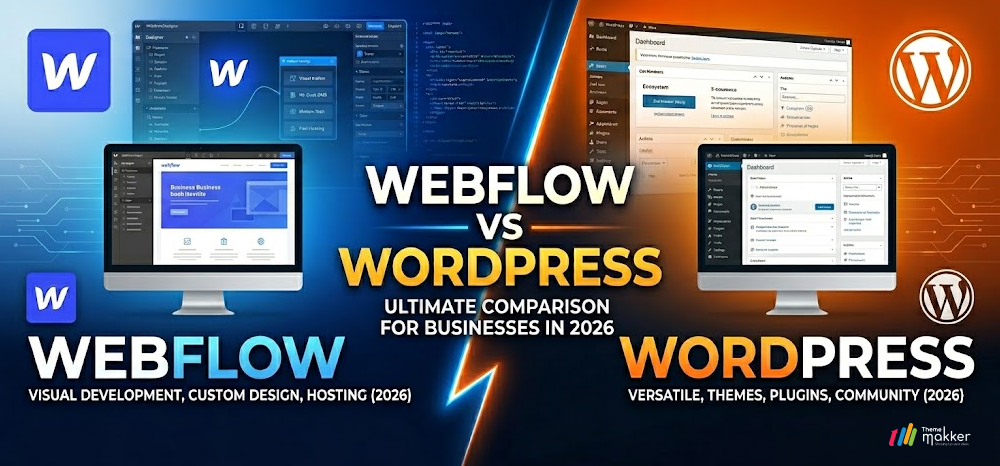
The digital presence of a business is no longer just a virtual business card; it is the primary engine for growth, customer engagement, and brand identity.
In 2026, the debate over choosing between Webflow and WordPress has become more nuanced as both platforms have evolved to meet the high demands of the modern web.
WordPress remains the most widely used content management system globally, powered by an expansive open source community and limitless plugin flexibility.
Meanwhile, Webflow has emerged as the premier choice for visual development, offering a sophisticated interface that bridges the gap between high-end design and clean, production-ready code.
Modern businesses are opting for these platforms because they provide the necessary scalability and speed to stay competitive. Whether a company needs the vast ecosystem of WordPress or the design precision of Webflow, both ensure a robust online foundation.
This blog offers a comprehensive comparison of the two platforms, including detailed features, industry-specific use cases, and an unbiased analysis to help you decide which system best aligns with your organizational goals.
Webflow Vs. WordPress: Ultimate Comparison for Businesses in 2026
What is Webflow?
Webflow is a cloud-based web design tool and hosting platform that allows users to visually build professional, responsive websites. It translates design decisions directly into clean HTML, CSS, and JavaScript, giving designers the power of a front-end developer without requiring manual coding for every element.
7 Key Features of Webflow
-
Virtual DOM:
This feature creates a lightweight copy of the real DOM to minimize expensive browser updates and significantly boost application performance.
-
Visual Canvas:
Design high-end layouts using a professional interface.
-
Clean Code:
Export production-ready code that loads incredibly fast.
-
Integrated CMS:
Manage complex content structures with flexible data collections.
-
Interaction Tools:
Create advanced scroll-based animations without any plugins.
-
Global CDN:
Host sites on a fast and secure infrastructure.
-
E-commerce Engine:
Build custom shopping experiences with total design control.
-
Logic Workflows:
Automate site actions using native visual programming tools.
What is WordPress?
WordPress is a free and open source content management system based on PHP and MySQL. Originally a blogging tool, it has transformed into a massive platform that powers over 40% of the internet, supported by a global community and tens of thousands of themes and functional plugins.
7 Key Features of WordPress
-
Virtual DOM:
This feature creates a lightweight copy of the real DOM to minimize expensive browser updates and significantly boost application performance.
-
Open Source:
Gain total ownership and control over your website files.
-
Plugin Library:
Access over 60,000 plugins for virtually any technical requirement.
-
Theme Variety:
Choose from thousands of templates to jumpstart your design.
-
SEO Dominance:
Utilize powerful tools like Yoast to rank higher easily.
-
Community Support:
Find endless tutorials and developers for any niche problem.
-
Scalable Content:
Manage thousands of posts with a robust database system.
-
Multilingual Support:
Create global websites with dedicated translation and localization plugins.
Comparison Table: Webflow Vs. WordPress
| Aspect | Webflow | WordPress |
|---|---|---|
| Platform Type | SaaS (Software as a Service) | Open Source Software |
| Design Flexibility | Total visual control from scratch | Limited by theme or page builder |
| Learning Curve | Moderate to high for designers | Easy for basics, high for technicals |
| Maintenance | Managed by Webflow (Automatic) | Manual updates for core and plugins |
| Security | High (Closed ecosystem) | Dependent on hosting and user updates |
| Hosting | Included in monthly plans | Required from third-party providers |
| Cost Structure | Predictable monthly/yearly tiers | Variable (Hosting + Plugins + Themes) |
| SEO Capabilities | Built-in and highly streamlined | Excellent via dedicated plugins |
| Code Quality | Clean, semantic, and lightweight | Can become bloated with too many plugins |
| E-Commerce | Native but limited for large stores | Limitless with WooCommerce integration |
When to Use Webflow: Real World Use Cases
- Creative Agencies: Perfect for showcasing high-fidelity portfolios where unique interactions and pixel-perfect layouts are required to impress potential clients and demonstrate design expertise.
- SaaS Startups: Ideal for building marketing landing pages that require rapid iteration, clean code for performance, and integrated animations to explain complex software features visually.
- High-End Real Estate: Use Webflow to create immersive property listings with high-resolution imagery and custom filters that deliver a luxury browsing experience for high-value buyers.
- Tech Foundations: Best for organizations needing a secure and locked-down environment where content editors can update news without accidentally breaking the site’s core design or layout.
- Boutique E-commerce: Great for brands that sell a limited number of unique products and want a shopping experience that feels entirely custom rather than a standard template.
- Event Marketing: Use for high-impact event sites that need to launch quickly, with a heavy emphasis on countdowns, interactive schedules, and a mobile-first registration flow.
- Education Platforms: Ideal for design schools or coding bootcamps that want their own website to reflect the cutting-edge technology and modern design principles they are teaching.
- Financial Services: A strong choice for firms that prioritize security and want a platform that does not require constant plugin updates, which can often introduce vulnerabilities into the system.
When to Use WordPress: Real World Use Cases
- Content Heavy Media: Ideal for digital magazines or news portals that publish dozens of articles daily and require a robust category system with multiple authors and complex editorial workflows.
- Large Scale E-commerce: The best choice for businesses with thousands of products that need advanced inventory management, global shipping integrations, and diverse payment gateways provided by WooCommerce.
- Community Forums: Perfect for building membership sites or social communities using specialized plugins like BuddyPress, allowing users to create profiles, join groups, and interact in a private ecosystem.
- Multilingual Corporate Sites: Highly effective for global companies that need to serve content in ten or more languages with automated syncing and SEO optimization for different international regions.
- Non-Profit Organizations: A great fit for charities that rely on a wide array of donation plugins, event calendars, and volunteer management tools that can be easily added as the organization grows.
- Educational Directories: Use for listing-based websites such as university course catalogs or job boards that require a deep database structure and complex search functionality to help users find specific information.
- Legacy Business Integration: Ideal for established firms that need their website to connect with older third-party databases, proprietary software, or specific CRM systems through custom PHP development.
- Niche Booking Services: Best for hotels, medical clinics, or appointment-based businesses that need highly specific booking engines that sync with external calendars and manage automated customer notifications
Webflow vs. WordPress: Which One is Best for You?
The decision between Webflow and WordPress ultimately depends on your team’s technical strengths and the long-term goals of your project.
If you are a designer or a brand that values creative freedom and wants to build a unique, high-performance site without the “plugin headache,” Webflow is the clear winner. It offers a managed environment where security and hosting are handled for you, allowing you to focus purely on the user experience.
However, if you are building a massive content portal, a complex community forum, or a highly customized enterprise store, WordPress remains the industry standard. Its open source nature means you are never locked into a single vendor, and its ecosystem is so vast that there is a solution for every possible integration.
WordPress is for those who want total ownership and the ability to scale their site’s functionality in any direction they can imagine. Choose Webflow for design excellence and ease of mind; choose WordPress for power, community, and limitless extensibility.
Conclusion
Both Webflow and WordPress have proven their worth as elite platforms in 2026. Webflow provides a modern, designer-centric approach that results in clean code and stunning visuals with minimal maintenance.
WordPress provides a time-tested, robust, and highly flexible foundation that can grow into a massive digital ecosystem. Understanding the trade-offs between visual precision and open-source flexibility is the first step in creating a website that will serve your business for years to come.
Ready to build?
At Thememakker we provide specialized Webflow development services to create breathtaking, high-performance visual experiences.
Alternatively, our WordPress Development Services offer scalable, custom-built solutions with limitless functionality. Whether you need design precision or open source power, our expert team is here to transform your vision into a digital reality.

Frequently Asked Questions
-
Q:: Webflow vs WordPress: Which is better?
A:: Neither is objectively better; it depends on your needs. Webflow is superior for design control and low maintenance, while WordPress is better for complex functionality, massive content libraries, and organizations that want total ownership of their software stack.
-
Q:: What are the pros and cons of Webflow?
Pros: Excellent visual design freedom, clean code, no plugin maintenance, and high security.
Cons: Higher monthly costs, a steeper learning curve for non-designers, and less flexibility for very complex, custom backend integrations.
-
Q:: What are the pros and cons of WordPress?
Pros: A huge plugin ecosystem, lower upfront costs, full data ownership, and great community support.
Cons: Requires manual maintenance, potential for slow speeds due to plugin bloat, and higher security risks if not managed properly.
-
Q:: Can I migrate from WordPress to Webflow?
A:: Yes, you can migrate by exporting your WordPress content as a CSV file and importing it into the Webflow CMS. However, your design and layout must be rebuilt manually in Webflow to leverage its visual tools.
-
Q:: Webflow vs WordPress: Which one is better for user experience?
A:: For user experience, Webflow often performs better with faster loading, clean design control, and minimal maintenance. WordPress offers flexibility but depends on themes and plugins, which can affect speed and consistency if not optimized properly.
-
Q:: What is the pricing overview for Webflow and WordPress?
A:: Webflow offers fixed monthly plans with hosting included, typically starting at $14-$29 per month. WordPress is free software, but total costs include hosting, themes, and plugins, which can range from low to significantly high depending on requirements.
Recommended Posts
97.9%
Projects Delivered On-Time

5,000+
Creatives & Agencies Trust Us.

Development Service?
We can provide at affordable price.


Awwwards, Design Nominees, CSSLight, Best CSS and more





THEMEFOREST
Exclusive Author
Boost Backend Efficiency with Cutting-Edge Web Technologies
Accelerate your backend development with our premium admin dashboard templates powered by today’s top frameworks and libraries—Bootstrap, Tailwind CSS, React, Vue.js, Angular, Laravel, Node.js, WordPress, Next.js, ASP.NET, and more. Whether you're building a SaaS platform, CRM, or internal tool, our dashboards offer clean design, modular code, and full responsiveness to help you build faster and smarter.





