Flutter Web vs Native: What’s Best for Your SaaS Dashboard?
Category:: Uncategorized

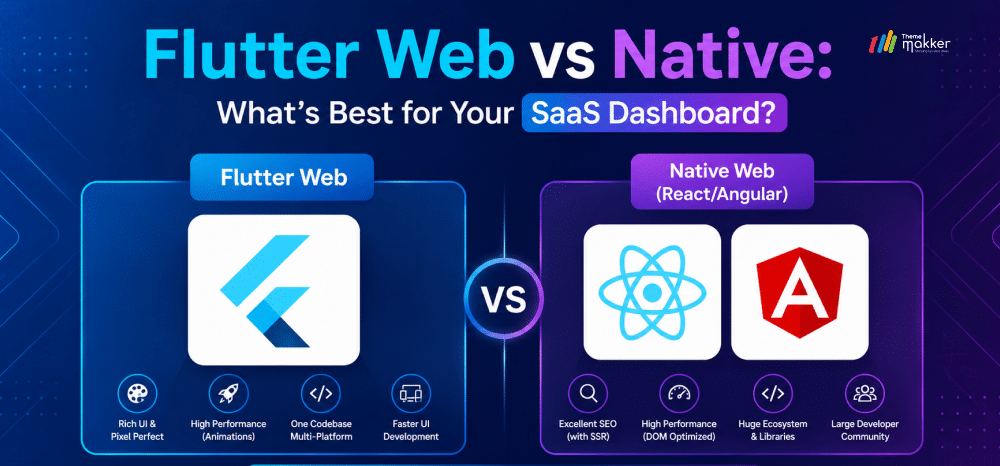
Building a high-performance SaaS product is no longer just about the backend; the modern user expects a dashboard that is fast, visually stunning, and works seamlessly across every device.
However, on the web, a critical architectural debate persists: should you go with a Native Web approach (using frameworks like React, Vue, or Angular) or leverage the Flutter Web ecosystem?
Many developers treat Flutter as a mobile-first tool, but its evolution into a robust web-rendering engine has changed the game for SaaS builders.
In this guide, we’ll analyze why Flutter Web is becoming the preferred choice for complex SaaS dashboards and when a native web approach still holds the crown.
Understanding the Contenders: Flutter Web vs. Native Web
Before diving into the “when,” we must define the “what.”
Native Web Development refers to the traditional stack: HTML, CSS, and JavaScript. Frameworks like React or Angular act as sophisticated wrappers that manipulate the browser’s Document Object Model (DOM). They are the “native” language of the web.
Flutter Web, on the other hand, is a paradigm shift. It doesn’t use HTML tags to build your UI. Instead, it uses a sophisticated rendering engine (CanvasKit or HTML-CSS-Canvas) to paint every pixel of your application. It treats the browser window as a blank canvas, similar to how a video game engine (such as Unity) operates.
The Power of Flutter for SaaS Dashboards
If you are building a data-heavy SaaS dashboard, think CRM, FinTech analytics, or an IoT monitoring hub, Flutter offers several “superpowers” that traditional web frameworks struggle to match.
1. Pixel-Perfect Consistency
In a traditional web environment, a button might look slightly different on Safari than on Chrome due to CSS rendering quirks. For a SaaS dashboard with complex data visualizations, even a few pixels of misalignment can ruin the professional feel.
Flutter bypasses the browser’s default styling entirely. Since Flutter paints its own UI, your dashboard will look identical on a 27-inch iMac, a Windows laptop, and an iPad Pro.
2. High-Performance Data Visualization
SaaS dashboards often require real-time charts, interactive maps, and complex data tables. Because Flutter uses CanvasKit (WebAssembly + Skia), it can handle heavy graphical workloads at 60 FPS (frames per second) with smooth performance.
While React can struggle with large DOM trees during rapid data updates, Flutter’s “Retained Mode” rendering ensures that only the modified parts of the “canvas” are updated, leading to buttery-smooth animations even with thousands of data points.
3. Unified Codebase for Desktop & Mobile
The greatest ROI for a SaaS startup is the “Build Once, Deploy Everywhere” promise. If your SaaS requires a mobile app (iOS/Android) and a web dashboard, Flutter allows you to share up to 90% of your business logic and UI code. You don’t need a “Web Team” and a “Mobile Team”; you just need a “Product Team.”
When to Choose Flutter for Your SaaS Dashboard?
The decision isn’t always binary. Here are the specific scenarios where Flutter Web is the clear winner for a SaaS project.
A. Your Dashboard is “App-Centric,” Not “Content-Centric”
If your dashboard is behind a login wall and functions like a piece of software (e.g., Adobe Lightroom Web or a project management tool like ClickUp), Flutter is ideal. These users aren’t “browsing” your site; they are “using” your tool.
They value interactivity and state management over SEO and quick “first-paint” times.
B. Rapid Prototyping and Time-to-Market
In the early stages of a SaaS, speed is life. Using Flutter allows you to build a highly interactive MVP (Minimum Viable Product) that feels like a polished, high-end application.
Because you have a massive library of pre-built Material Design and Cupertino widgets, you can skip the months of CSS debugging that often plague traditional web projects.
C. Complex Custom UIs
Does your dashboard require custom-built sliders, circular menus, or non-standard interactive elements? Doing this in CSS can be a nightmare. In Flutter, creating a custom widget is as simple as overriding the paint method. If your brand relies on a unique, “game-like” interactive experience, Flutter is the only logical choice.
“Native Web” Advantage: When to Stick with React/Vue
Despite its strengths, Flutter isn’t a silver bullet. There are specific cases where a Native Web approach is technically superior.
1. Search Engine Optimization (SEO)
This is Flutter’s biggest hurdle. Because Flutter renders on a canvas, search engine crawlers (like Googlebot) have a harder time “reading” the content.
If your SaaS dashboard includes a public-facing landing page, a blog, or a marketplace where SEO is critical for growth, do not build that portion in Flutter. Use a native framework like Next.js for the public site and Flutter only for the internal dashboard.
2. Initial Load Times (The “Bundle” Problem)
A Flutter Web app must download a small engine (WASM/CanvasKit) before it can display anything. This can result in a “loading spinner” for 2–3 seconds on the first visit.
For a SaaS dashboard where a user stays logged in for hours, this is not an issue. However, for a lightweight landing page where every millisecond of “First Contentful Paint” counts, native HTML/JS wins every time.
3. Deep Browser Integration
If your SaaS needs to interact deeply with browser-specific features—like complex text selection, right-click context menus, or browser extensions—native web development is easier.
While Flutter has made strides in accessibility and text selection, it still feels slightly “foreign” to some native browser behaviors.
Technical Comparison: Flutter Web Vs. Native Web
| Feature | Flutter Web | Native Web (React/Angular) |
|---|---|---|
| UI Control | Complete (Pixel-level) | High (DOM-limited) |
| SEO | Poor | Excellent (with SSR) |
| Performance | High (Graphics/Animations) | High (Text/DOM operations) |
| Code Sharing | Mobile, Web, Desktop | Web & Mobile (via React Native) |
| Bundle Size | Larger (Engine included) | Smaller |
| Learning Curve | Dart (Easy for JS/Java devs) | JavaScript/TypeScript |
Strategy: The Hybrid Approach
For most successful SaaS companies, the answer isn’t “Flutter OR Native,” but rather a strategic combination of both.
-
Public Site / Landing Page: Build with Native Web (Next.js, Astro, or Tailwind). This ensures maximum SEO, instant load times, and perfect mobile browser compatibility.
-
The SaaS Dashboard (The “App”): Built with Flutter Web. Once the user logs in, they enter a high-performance, interactive environment that feels like a desktop application.
-
Mobile Companion: Simply compile the Flutter dashboard code for iOS and Android, adding platform-specific features (like push notifications) as needed.
Best Practices for Your Flutter SaaS Dashboard
If you decide to go the Flutter route, follow these three rules to ensure success:
-
Use CanvasKit for Desktop: For dashboards, enable CanvasKit rendering. It provides much better performance for charts and complex animations compared to the standard HTML renderer.
-
Optimize for Screen Size: Use the LayoutBuilder widget religiously. A dashboard that looks great on a 13-inch laptop should automatically reorganize its sidebar and widgets when viewed on a mobile tablet.
-
State Management is Key: SaaS dashboards are state-heavy. Use robust solutions like Riverpod or BLoC to ensure that data updates in one part of the dashboard (like a settings toggle) are reflected instantly across all other widgets.
Conclusion
Choose Flutter Web if: You are building a complex, interactive SaaS tool where performance, cross-platform consistency, and developer speed are more important than SEO. It is the future of “App-like” web experiences.
Choose Native Web if: You are building a content-heavy platform, a public marketplace, or a tool that relies heavily on search engine traffic and ultra-fast initial load times.
Flutter has bridged the gap between mobile and web. For the modern SaaS founder, it offers a path to build higher-quality software with a smaller team, and in the competitive world of software-as-a-service, that efficiency is the ultimate competitive advantage.
Ready to build a high-performance SaaS dashboard?
Partner with ThemeMakker Our expert Flutter developers deliver pixel-perfect, scalable, and cross-platform solutions tailored to your business needs. Start your project today!

Frequently Asked Questions
-
Q:: React Native vs Flutter: Which is better?
A:: There’s no universal winner it depends on your constraints. Flutter offers a unified UI layer, consistent rendering, and strong performance via its own engine. React Native leverages JavaScript and native components, making it easier for web developers. Flutter suits UI-heavy apps; React Native fits ecosystems already invested in React.
-
Q:: React Native vs Flutter for hybrid apps
A:: For hybrid apps, Flutter provides tighter cross-platform consistency and fewer UI discrepancies because it controls rendering. React Native relies on native components, which can lead to platform variations. Flutter is often better for design consistency, while React Native excels when leveraging existing JavaScript stacks and third-party libraries.
-
Q:: Which is harder, Flutter or React?
A:: Flutter can feel harder initially due to Dart and its widget-based architecture. React (and React Native) is easier for those familiar with JavaScript and web paradigms. However, Flutter’s structured approach can become easier long-term, while React may introduce complexity with state management and ecosystem fragmentation.
-
Q:: How do Flutter Web and React handle state management?
A:: Flutter uses built-in and community solutions like Provider, Riverpod, and Bloc, offering structured and predictable state handling. React relies on hooks (useState, useReducer) and external libraries like Redux or Zustand. Flutter tends to enforce consistency, while React offers flexibility but can become fragmented in large applications.
-
Q:: Which framework is easier to learn, Flutter Web or React?
A:: React is generally easier to start with, especially for developers familiar with HTML, CSS, and JavaScript. Flutter Web requires learning Dart and a new UI paradigm. However, Flutter’s consistency can make scaling easier, while React’s flexibility may lead to steeper complexity as applications grow.
Recommended Posts
97.9%
Projects Delivered On-Time

5,000+
Creatives & Agencies Trust Us.

Development Service?
We can provide at affordable price.


Awwwards, Design Nominees, CSSLight, Best CSS and more





THEMEFOREST
Exclusive Author
Boost Backend Efficiency with Cutting-Edge Web Technologies
Accelerate your backend development with our premium admin dashboard templates powered by today’s top frameworks and libraries—Bootstrap, Tailwind CSS, React, Vue.js, Angular, Laravel, Node.js, WordPress, Next.js, ASP.NET, and more. Whether you're building a SaaS platform, CRM, or internal tool, our dashboards offer clean design, modular code, and full responsiveness to help you build faster and smarter.